Many of the stations in our directory began as one person with a microphone, a laptop and a love of a certain kind of music. It is easier than ever to start an internet radio station, and you do not need a broadcast licence for a transmitter. You do need to plan four things: your sound, your software, your stream hosting and your music rights.
1. Decide what your station is about
The stations that build loyal audiences have a clear identity. “All the hits” is hard to compete with. “Northern soul every Sunday”, “local bands from our city” or “Turkish pop for the diaspora” gives listeners a reason to choose you. Look through our genres, such as local music, community and college radio, to see how other small stations position themselves.
Also decide whether you will be live, automated or both. Most small stations run an automated playlist around the clock and add live shows when presenters are available.
2. Basic equipment
- A computer. Any reasonably modern laptop or desktop can run broadcasting software.
- A microphone. A USB microphone is the simplest start. For more than one presenter, use XLR microphones and a small mixer or audio interface.
- Headphones. Closed-back headphones let you hear what you are sending without feedback.
- A reliable internet connection. For a live show, a wired connection is safer than Wi-Fi. Your upload speed must comfortably exceed your stream’s bitrate.
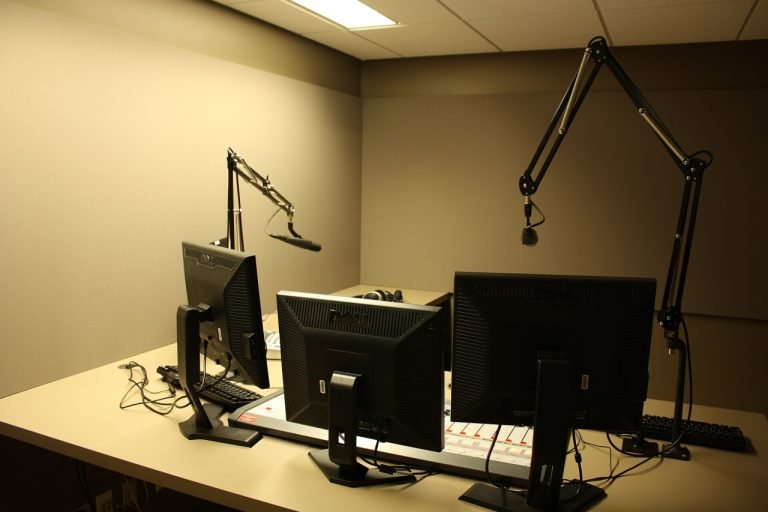
You do not need a studio. A quiet room with soft furnishings to cut echo is enough to sound professional.
3. Broadcasting software
Broadcasting software plays your music and microphone and sends the mix to a streaming server. Popular options include:
- Mixxx: free DJ software that can broadcast live to a stream.
- BUTT (Broadcast Using This Tool): a free, simple tool that sends any audio from your computer to a server.
- AzuraCast: a free, self-hosted station manager with an automated playlist, scheduling, live DJ connections and listener stats.
- Paid radio automation software for stations that want advanced scheduling, jingles and ad breaks.
4. Stream hosting
Your computer sends one stream to a server, and the server sends a copy to every listener. The two common server types are Icecast (free and open source) and SHOUTcast. You can run one yourself on a rented server, or pay a hosting provider that sets it up for you. Hosted plans are usually priced by the number of listeners at the same time and the bitrate.
Bandwidth adds up quickly: each listener at 128 kbps needs 128 kbps from the server, so 100 listeners at once use about 12.8 Mbps. That is why many stations choose an efficient format such as AAC at 64 to 96 kbps. Our guide to bitrate and audio formats explains the trade-offs.
5. Music licensing
This is the step new stations most often skip, and it matters. Playing commercial music online is a public performance, and in most countries you need licences for both the songs (the composition) and the recordings. The organisations differ by country:
- United States: SoundExchange for sound recordings, plus performing rights organisations such as ASCAP, BMI, SESAC and GMR for compositions.
- Canada: SOCAN for compositions and Re:Sound for recordings.
- United Kingdom: PPL for recordings and PRS for Music for compositions.
Some stream hosting providers include licensing in their plans for certain countries, which is the easiest route for a small station. Statutory webcasting licences usually come with conditions, such as limits on how many tracks from one album or artist you can play in a set period. Check the rules where you and your listeners are based.
You can avoid most licensing costs by playing music you own the rights to, music released under a licence that permits broadcasting, or talk-only programming.
6. Your first broadcast
- Do a private test stream and listen on a phone, a laptop and a smart speaker.
- Set the station name, genre and website in your stream metadata, and send song titles so listeners see what is playing.
- Keep the levels consistent so music and voice are the same volume.
- Create a simple website or page with a player, your schedule and a contact address.
7. Find listeners
- List your station in directories. You can add your radio station to AllOnlineRadio for free, and update the details later through our contact page.
- Use social media to post show times and clips, and tag the artists you play.
- Work with your community: local bands, clubs, events and businesses are natural partners for a small station.
- Be consistent. A regular weekly show at the same time builds habits faster than occasional long sessions.
Frequently asked questions
How much does it cost to start an internet radio station?
The software can be free and a basic USB microphone is inexpensive. The ongoing costs are stream hosting and music licensing, which depend on how many listeners you have and where you are.
Do I need a licence for an online-only station?
You do not need a broadcasting licence for a transmitter, but you normally need music licences to play commercial music. Talk shows and your own music usually do not need them.
Can I run a station from my phone?
Some apps let you broadcast live from a phone, which is handy for events. For a station that runs all day, a computer or hosted automation is more reliable.
Photo: M4th5, Wikimedia Commons, CC BY-SA 3.0